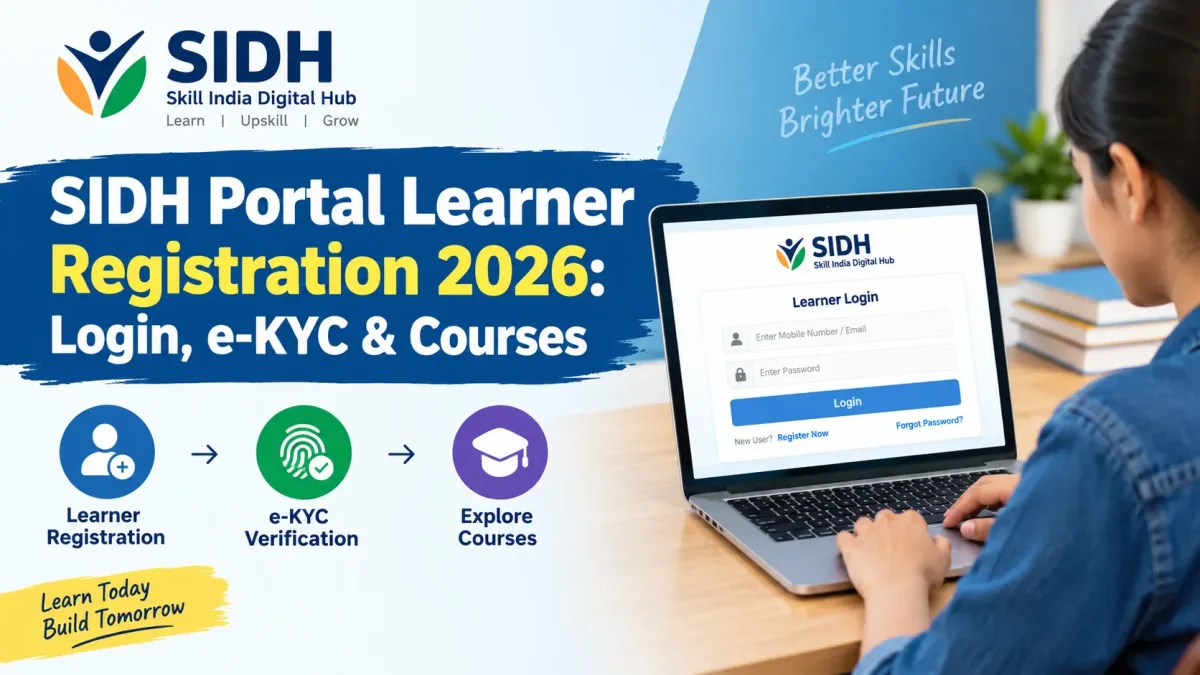
SIDH Portal Learner Registration 2026: Login, e-KYC & Courses
Want to register on the Skill India Digital Hub in 2026? Follow this step-by-step guide to create a learner account, complete e-KYC, explore skill courses and understand the enrolment process.
Learning a new skill can be a turning point in your career. For one student, it might mean learning digital marketing before applying for an internship. For another, it could mean gaining technical skills to qualify for a better job. The challenge is often knowing where to begin and which training opportunities are worth exploring.
The Skill India Digital Hub, commonly known as SIDH, is a government-backed digital platform designed to bring different skill development opportunities together. It helps learners discover training programmes and access relevant services through a common digital system.
If you are looking for SIDH Portal Learner Registration 2026, this guide explains how to create an account, verify your mobile number, complete Aadhaar-based e-KYC, access your dashboard and apply for suitable training opportunities.
Whether you are a student, job seeker, working professional or someone who wants to develop practical skills, understanding the registration process can help you get started. However, remember that registering on the portal is only the first step. Course availability, eligibility, fees and enrolment conditions depend on the particular programme.
What Is the Skill India Digital Hub (SIDH)?
The Skill India Digital Hub is a digital platform developed under the Ministry of Skill Development and Entrepreneurship (MSDE). It was launched on September 13, 2023, to bring important parts of India's skill development ecosystem together on a common platform.
In simple terms, SIDH helps people discover skill training opportunities without having to search separately across multiple programmes and providers. Depending on the scheme and services available, learners can explore courses, apply for training batches, access relevant certification processes and discover employment-related opportunities.
The platform also supports training providers and other organisations involved in skill development. Its broader purpose is to make training, assessment, certification and related services more connected and accessible.
You can visit the official Skill India Digital Hub website to explore the available services.
SIDH Portal Learner Registration 2026: Overview
Before starting the registration process, take a look at the basic information below.
Particular Details Portal name Skill India Digital Hub (SIDH) Responsible ministry Ministry of Skill Development and Entrepreneurship Registration type Learner/Participant registration Registration mode Online Official website skillindiadigital.gov.in Mobile verification OTP verification Identity verification Aadhaar-based e-KYC, as required by the portal Course access Depends on the available programme and eligibility conditions Registration fee Check the official portal and the relevant programme conditionsThere is no single application deadline that applies to every course on SIDH. Individual schemes, training batches and competitions may have their own application windows. Always check the details of the specific opportunity you want to pursue.
Who Can Register on the SIDH Portal?
People interested in exploring skill development opportunities can visit SIDH and register as learners. The eligibility requirements for joining a particular course or scheme, however, may be different from the basic account registration requirements.
The portal may be useful for several groups of learners.
1. School and College Students
Students can explore relevant skill development opportunities alongside their formal education. Depending on their interests and eligibility, they may look for digital skills, technical training, communication skills or other industry-related learning options.
2. Job Seekers and Freshers
Fresh graduates and job seekers can explore training programmes that help them develop practical, employment-related skills. Some services may also connect learners with job or apprenticeship opportunities.
3. Working Professionals
People who are already employed can look for opportunities to improve their existing skills or learn something new. Whether a particular programme is suitable depends on its entry requirements, schedule and delivery method.
4. People Interested in Vocational Training
Learners interested in hands-on training can search for suitable job roles, sectors and training batches. Some programmes may involve in-person classes at a designated training centre rather than entirely online learning.
Important: Do not assume that every person is eligible for every course. Age limits, educational qualifications, work experience, location and other conditions may apply to individual programmes.
Documents and Details to Keep Ready
Preparing the information you need before registration can make the process easier. The exact requirements may depend on the portal's current instructions and the scheme you choose.
- Mobile number: Keep access to the number you use for registration so that you can receive the OTP.
- Aadhaar details: The official registration guidance includes Aadhaar-based e-KYC. Complete it only through the official portal and review the consent request carefully.
- Personal information: Be ready to provide the details requested to complete your learner profile.
- Educational information: Some courses or schemes may ask for your qualifications or related details.
- Supporting documents: Keep relevant documents available if the specific programme requires them.
Never share your OTP or account PIN with another person. Use the official website for registration and identity verification, and do not send identity documents to an unknown person who claims to provide special access to government courses.
How to Complete SIDH Portal Learner Registration 2026
The registration process involves creating an account, verifying your mobile number and completing the identity-verification steps requested by the portal.
Step 1: Visit the Official SIDH Website
Open the official Skill India Digital Hub portal using a browser on your phone or computer.
Make sure the website address is correct before entering any personal information. Avoid sponsored links or unfamiliar websites that imitate government portals.
Step 2: Select Learner or Participant Registration
Look for the registration or sign-up option. If you are a new user, choose the option intended for a learner or participant. If you already have an account, use the login option instead of creating another account unnecessarily.
Step 3: Enter Your Mobile Number
Provide your mobile number as requested on the registration screen and accept the relevant terms and privacy conditions after reviewing them.
Use a number you can access because the portal sends an OTP to verify your registration. If the number is incorrect or unavailable, follow the official instructions for correcting it.
Step 4: Verify Your Mobile Number Using OTP
Enter the OTP received on your registered mobile number. Follow the instructions shown on the screen and request another code through the official process if the original OTP expires.
An OTP is a security code. Do not disclose it to anyone claiming to be a portal representative, training provider or government official.
Step 5: Create Your Account PIN
After mobile verification, the portal may ask you to create an account password or PIN. The official registration instructions describe setting a four-digit numerical PIN.
Choose a PIN that is not easy for someone else to guess. Do not use an obvious combination, and avoid sharing the PIN with friends, agents or training centres.
Step 6: Complete Aadhaar-Based e-KYC
The official NSDC registration guide instructs learners to enter their Aadhaar details for e-KYC and verify the process using an OTP sent to the mobile number linked to Aadhaar.
Follow the portal's instructions carefully and review the consent information before proceeding. You may need access to the mobile number registered with Aadhaar to complete the verification.
If the OTP does not arrive, check whether the linked mobile number is active and whether there is a network issue. Do not share your Aadhaar number or verification code with unofficial agents. If you cannot complete e-KYC, consult the official help resources.
Step 7: Open Your Learner Dashboard
After successfully completing the required registration and verification steps, you should be able to access your account dashboard.
Explore the available options and complete any remaining profile fields requested by the portal. Some personal details may not be editable after verification, so check the information carefully before saving it.
Step 8: Search for Courses and Training Programmes
Use the available search, scheme or programme options to find training that matches your interests. Depending on what is available, you may be able to explore sectors, job roles, course modes, schemes and training batches.
Read the course details before applying. Check the eligibility criteria, location, schedule, training centre, fees, certification conditions and any other requirements.
Step 9: Apply for a Suitable Course or Batch
When you find a suitable opportunity, follow the on-screen application instructions. Some scheme-based programmes require learners to select a training batch and submit an expression of interest rather than receiving immediate admission.
For certain PMKVY 4.0 batch applications, the NSDC guidance describes selecting an eligible batch, submitting interest and waiting for the training centre to process the request. The exact process can differ across programmes.
Step 10: Check Your Application Status
After submitting an application or expression of interest, check your dashboard for updates. Where the portal provides an application-status section, use it to see whether your request is pending, approved or awaiting another action.
If the training centre approves your request, follow any remaining instructions. Approval to show interest in a batch is not necessarily the same as final enrolment, so read all notifications carefully.
How to Log In to the SIDH Portal
If you have already registered, you generally do not need to repeat the entire registration process each time you visit the portal.
- Visit the official SIDH website.
- Select the login option.
- Enter the registered mobile number or other requested login information.
- Provide your account PIN or complete the verification requested by the portal.
- Open your learner dashboard and select the relevant service.
If you forget your PIN or cannot log in, use the official account-recovery instructions. Never give your PIN or OTP to someone who promises to recover your account for a fee.
What Courses Are Available on SIDH in 2026?
SIDH brings together opportunities across different sectors and schemes. The courses and batches visible to a learner can change depending on programme availability, eligibility and training-provider participation.
Areas learners may explore include:
- Information technology and digital skills
- Artificial intelligence and related emerging technologies
- Electronics and technical trades
- Healthcare and related services
- Retail, business and customer service
- Manufacturing and industrial skills
- Entrepreneurship and employment-oriented training
- Vocational and job-role-based training programmes
This is a general list of sectors, not a guarantee that every course is currently available on SIDH. Search the portal for current offerings and check the details of the specific programme before applying.
Can Learners Find AI Courses on SIDH?
Yes, the government has used SIDH to provide access to artificial intelligence learning initiatives. One example is SOAR, or Skilling for AI Readiness, which was introduced to build AI awareness and readiness among learners and educators.
Government announcements have also described the expansion of AI-related learning opportunities, including courses aligned with different skill levels and sectors. The current course list, eligibility requirements and learning format should be verified on the portal.
Explore the SIDH portal for available learning options.
Are SIDH Courses Free in 2026?
This is one of the most common questions from students and job seekers. The answer depends on the particular course, scheme and training provider.
Some government-supported training programmes may be offered without a course fee to eligible participants. Other courses may have fees or specific conditions. Additional costs, if any, should be clearly checked before enrolment.
Before applying, confirm the following:
- Whether the course is free or paid
- Whether you meet the eligibility requirements
- Whether there are any registration or examination charges
- Whether the course includes assessment and certification
- Whether the certificate is issued by the stated organisation
- Whether you must attend training at a physical centre
Do not assume that every course on SIDH is free simply because it is hosted on a government-supported platform. Always rely on the official programme details.
Will SIDH Registration Guarantee a Certificate or Job?
No. Creating an account does not automatically guarantee admission to a course, successful completion of training, a certificate or employment.
Certification depends on the requirements of the particular programme. Learners may need to complete training, attend assessments or satisfy other conditions before receiving a certificate.
Similarly, job and apprenticeship opportunities depend on employer requirements, available vacancies, selection processes and a candidate's qualifications and skills. SIDH can help learners discover relevant opportunities, but it cannot guarantee that every registered person will receive a job.
The best approach is to select a suitable course, complete the required training and use the skills gained to strengthen your applications.
Common SIDH Registration Problems and Their Solutions
1. OTP Not Received
Check your mobile network and make sure you entered the correct number. Wait briefly before requesting another OTP. If the problem continues, follow the portal's official support instructions.
2. Aadhaar e-KYC Is Not Completing
Check whether the mobile number linked to Aadhaar is active and accessible. Follow the instructions shown on the official portal and contact the relevant support service if the issue remains unresolved.
3. Incorrect Personal Information
Review your details carefully before saving your profile. Some fields may be locked after verification. If you find an error in a non-editable field, contact the official support channel rather than attempting to create duplicate accounts.
4. Course or Training Batch Is Not Visible
Not every scheme or job role has an active batch at all times. Check the scheme, sector, course mode and location filters. If the course is still unavailable, check again later or ask the relevant training provider for guidance.
5. Application Is Still Pending
Some programmes require a training centre to review and approve a learner's request. Check the application status and follow any instructions provided. Contact the relevant centre if the application remains pending beyond the stated processing period.
Tips for a Safe and Successful SIDH Registration
- Use the official SIDH website for registration and login.
- Enter accurate personal details and review them before saving.
- Keep access to your registered mobile number.
- Complete Aadhaar-based e-KYC only through the authorised process when required.
- Never share OTPs, account PINs or other authentication details.
- Read course eligibility rules, fees and certification conditions before applying.
- Check the training centre, course schedule and location before expressing interest in a batch.
- Keep track of application updates and any additional steps needed for enrolment.
Frequently Asked Questions (FAQs)
1. What is SIDH Portal Learner Registration 2026?
It is the process of creating a learner account on the Skill India Digital Hub so that you can access the platform's available skill development services and explore suitable training opportunities.
2. What is the official SIDH registration website?
The official portal is www.skillindiadigital.gov.in. Use this website to register, log in and explore the services currently available.
3. Is Aadhaar e-KYC required for SIDH registration?
The official NSDC learner-registration guidance includes Aadhaar-based e-KYC. Follow the current instructions shown on the official portal and check the requirements for the specific service you want to access.
4. Can students register on the SIDH portal?
Students can explore the platform's learner-registration option and look for relevant opportunities. Eligibility for a particular course or scheme depends on its age, educational and other requirements.
5. Are all SIDH courses free?
No. Course fees and other charges depend on the particular programme and provider. Check the official course details before enrolling or making a payment.
6. Can I apply for more than one training batch?
Some scheme-specific processes allow learners to express interest in multiple batches. For example, the NSDC guidance for certain PMKVY 4.0 processes permits candidates to select up to five batches. Check the instructions for the particular programme you are applying to.
7. What should I do if I forget my SIDH PIN?
Use the account-recovery process provided on the official portal. Do not share your existing PIN or OTP with anyone claiming to provide account-recovery assistance.
8. Does SIDH guarantee a job after course completion?
No. SIDH can help learners discover skill development and employment-related opportunities, but getting a job depends on the employer's requirements, available vacancies, the selection process and the candidate's skills.
Final Thoughts and Key Takeaways
SIDH Portal Learner Registration 2026 is a useful starting point for people who want to explore skill development opportunities through a government-supported digital platform. By creating an account, completing the required verification and exploring suitable programmes, learners can take a practical step towards improving their knowledge and career readiness.
Before registering, make sure you are using the official portal and have access to your registered mobile number. Complete e-KYC when required, protect your account details and read the eligibility conditions before applying for a course or training batch.
Most importantly, remember that registration is only the beginning. Choose learning opportunities that match your goals, complete the required training and use the skills you develop to strengthen your future opportunities.
Stay connected with TechNaukary for the latest updates on government schemes, skill development programmes, internships, technology and career opportunities. Always confirm course details and application instructions through official sources before taking action.
```